Updated September 21, 2026
How to Turn On the Radio in WARDOGS with Music Tapes
Buy a tape into your vehicle inventory, close the inventory, then choose PLAY Cassette Tape in the Interaction menu. Check Radio Music Volume if silent.
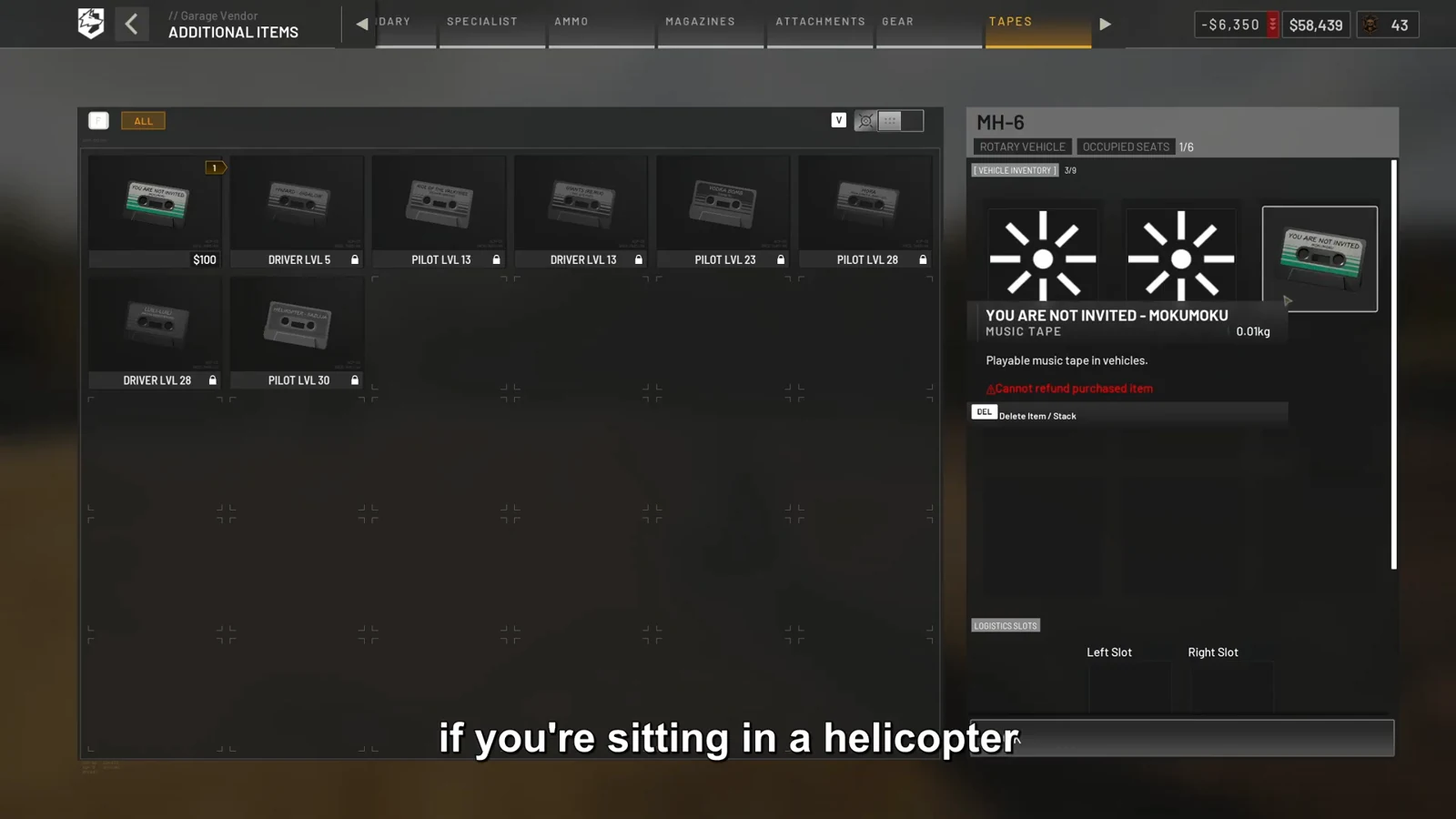
Buy a tape into the vehicle inventory
1. Enter or purchase a vehicle that exposes a tape slot. Open its buy menu, choose Items, move to Tapes, and buy a cassette.
2. Confirm that the cassette appears in vehicle inventory before closing the menu. The demonstrated example is an MH-6 helicopter.
The official Season 1 changelog moves Music Tape H from Pilot level 28 to Driver level 23 and lowers its listed price from $5,000 to $2,500.
The September 2026 Early Access 0.1 tutorial reports B for the keyboard and mouse buy menu and holding D-pad Right on controller. Its footage was recorded in Closed Beta 02, so follow the prompt shown by your installed build if a patch or custom binding differs.
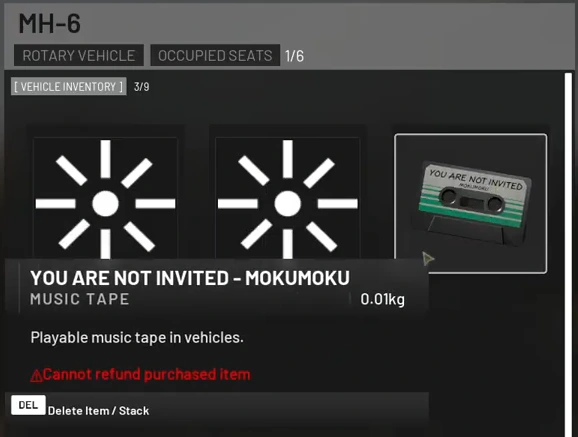
Play or stop the cassette
1. Exit the inventory, then open the Interaction menu with F on keyboard and mouse or X on controller in the referenced tutorial.
2. Choose PLAY Cassette Tape. Open the same menu again when you want to stop the tape.
These inputs are supported by Closed Beta 02 footage that the creator marked accurate for Early Access 0.1, plus a post-launch community report of the F-to-play flow. Follow the current on-screen prompt if its label or binding has changed.
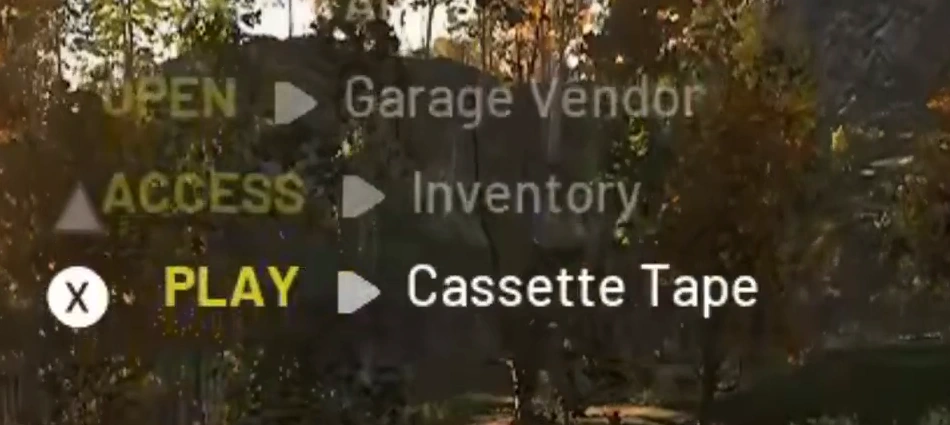
No music? Check the radio channel
First confirm that the tape is still in vehicle inventory, then close the inventory and use the Interaction menu. If the cassette action is missing, check the prompt and binding displayed by the current build.
Open the Audio menu and make sure Radio Music Volume is not muted. Radio Music, VOIP Proximity, and VOIP Squad have separate volume rows, so changing the voice channels does not control cassette playback.
The related controls guide below covers J squad push-to-talk and K proximity push-to-talk. Those keys belong to voice communication, not vehicle music.
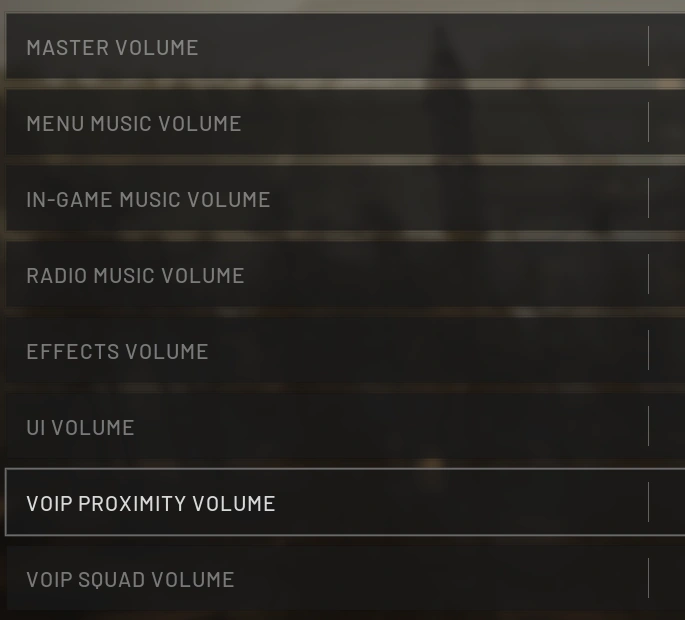
Sources and further reading
Official WARDOGS Steam store →
Official WARDOGS Season 1 changelog — September 9, 2026 →
How to use Music Tapes in WARDOGS — Galbratorix →
Post-launch community music-tape steps — Reddit →
KEEP READING